24/7 Keyless Entry
Phone-as-key on iOS & Android, hardware fobs for the family. Powered by Kisi.
 Purchase access
A sister club of GoodLife Fitness · Comfort, Texas
A 24/7 boutique fitness club tucked into the Texas Hill Country. Buy a day pass, week, monthly, or family add-on — keyless entry the same day.
About Comfort Fitt
Comfort Fitt is a family-owned, 24-hour fitness facility built for real life — whether you’re stepping into a gym for the first time or continuing a lifelong commitment to your health. We believe fitness should feel welcoming, encouraging, and accessible to everyone, no matter your age, experience, or starting point.
Rooted in faith and community, Comfort Fitt was created with the belief that our bodies are temples and should be cared for with purpose. Here, you’ll find a clean, well-equipped space designed to help you grow stronger physically, mentally, and spiritually — without the pressure or overcrowded atmosphere of big commercial gyms.
“Small town. Big purpose. Open around the clock because life doesn’t always happen on a schedule.” — The Comfort Fitt team
What’s inside
Phone-as-key on iOS & Android, hardware fobs for the family. Powered by Kisi.
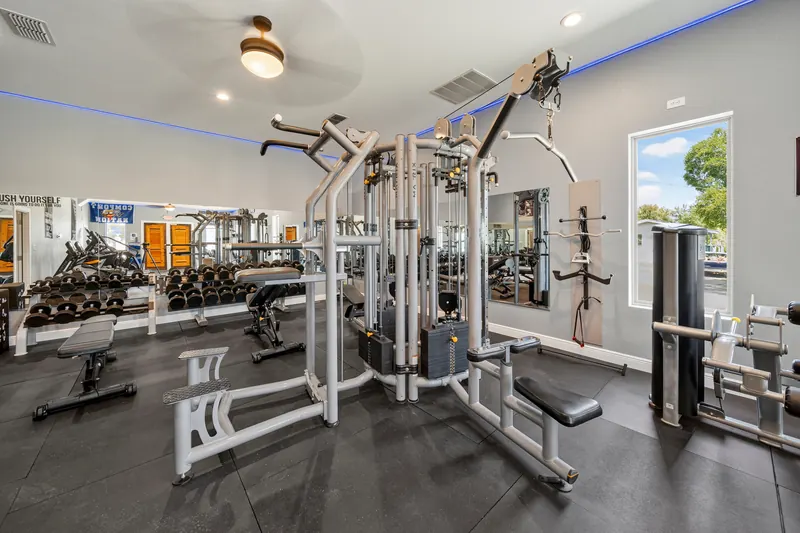
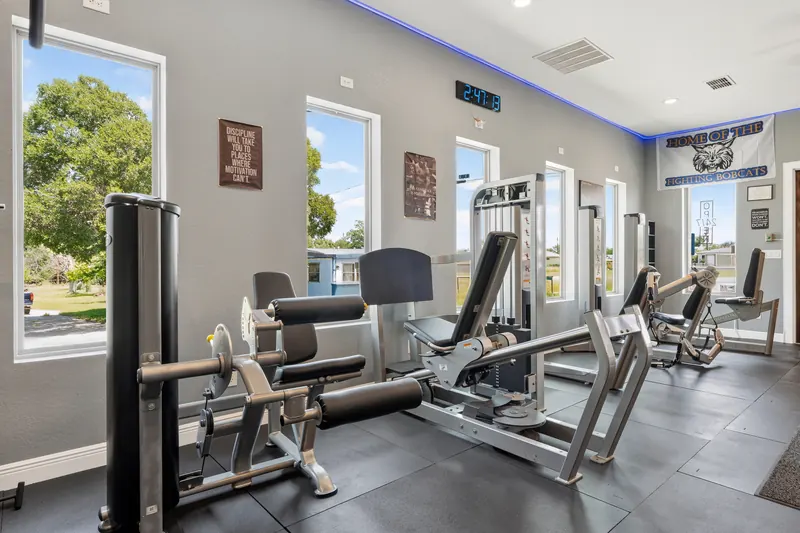
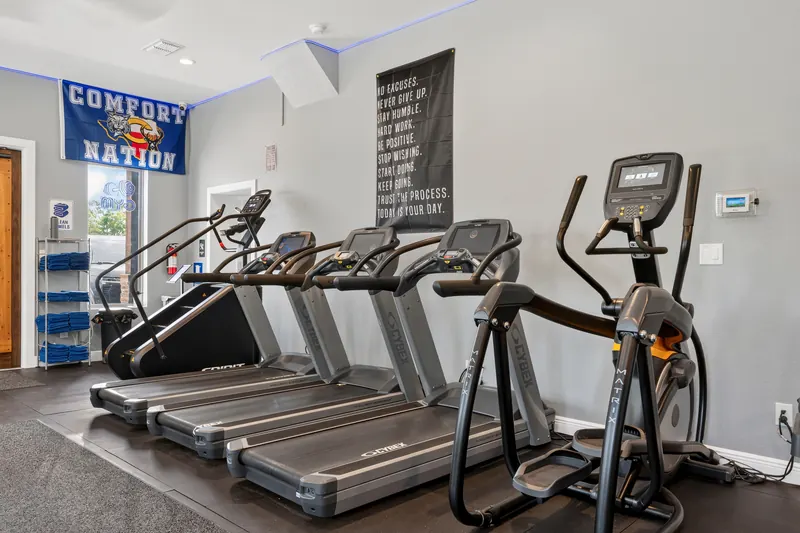
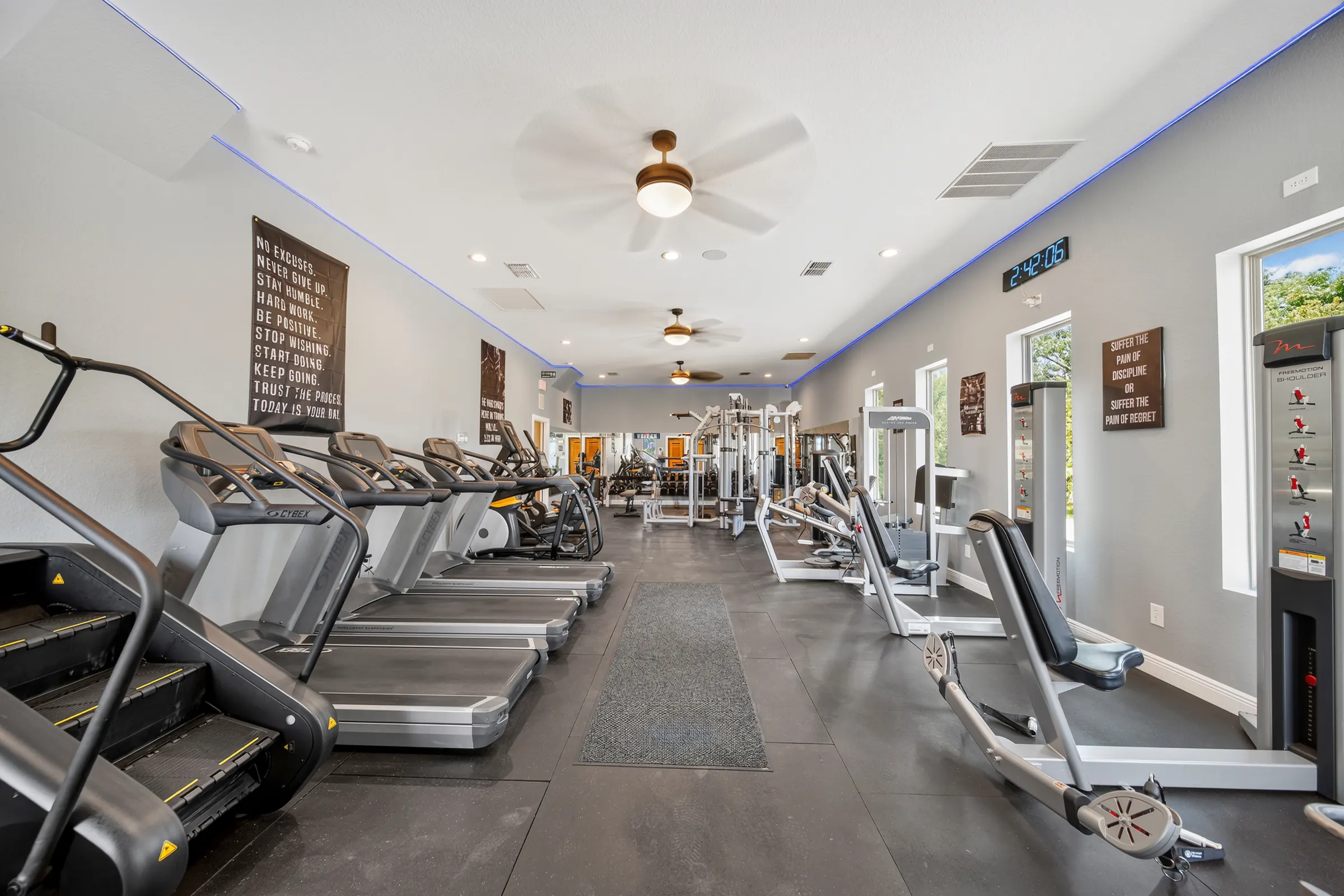
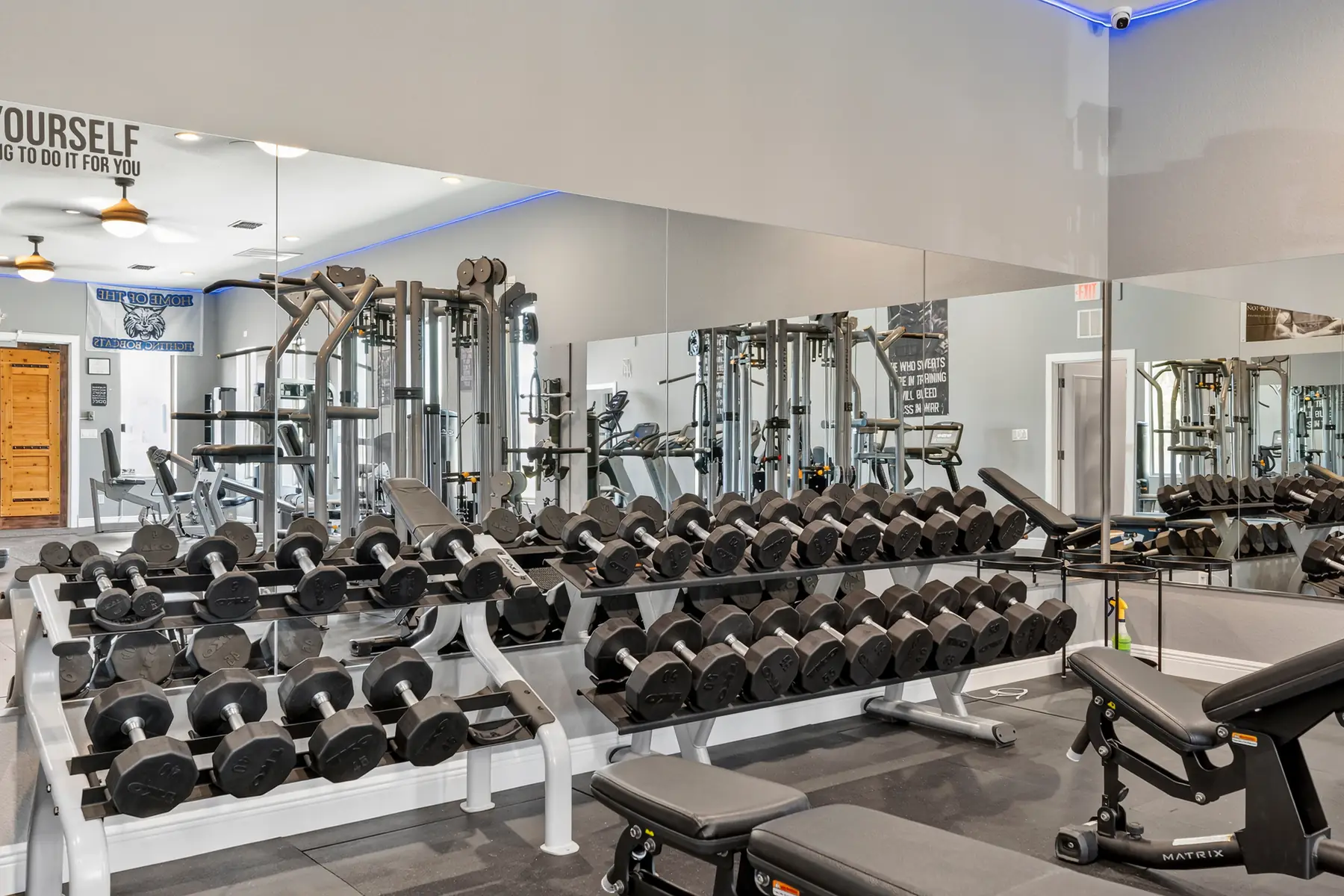
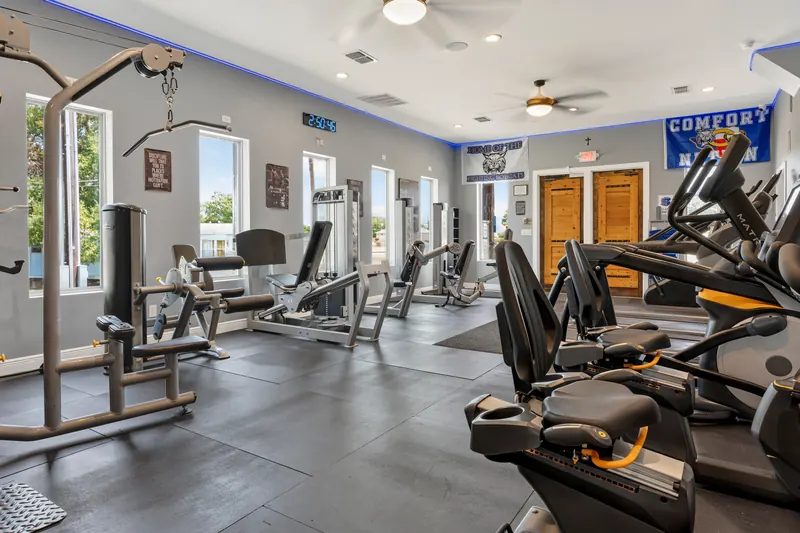
A peaceful place to strengthen both body and mind — with intentional equipment, open space, and a welcoming environment for all.
Household members join at $39/month each instead of $49, added to your membership with their own door credentials.
Passes, memberships, family add-ons and billing — all handled in a few quiet taps.
Inside the club
No stock photos, no crowds, no waiting on a rack. This is the floor exactly as you’ll find it at six in the morning or eleven at night.
Rather not wait? Grab a day pass — twenty-four hours, full access, $15.
Memberships & passes
One day. One week. One month. Or bring the household on at a member rate. Buy online, get keyless entry the same day.
Before you check out: sign up with an email address you actually check. On iPhone, choose “Share My Email” rather than “Hide My Email” — your door access invitation cannot reach an Apple private-relay address. How door access works →
Buying a Family Add-On? Add them from your own membership — do not open a separate MindBody account for them — and put their email address on the add-on, not yours. Their door invitation is sent to whichever email is on that add-on. Getting this wrong is the most common reason a family member cannot get in the door. Set up door access →
“That email is already registered”? Do not create a second account. MindBody logins are shared across every gym and studio that uses MindBody, so if you have ever booked at one before, your email already exists there — even though you are not yet a member here. Sign in or reset your password →, then come back here and pick your plan. If you land on a MindBody sign-up screen with nothing to buy, that is ours to fix — call 830-315-4532 or send us a message.
Twenty-four hours, full access. Built for travelers, drop-ins, and anyone wanting to experience Comfort Fitt for the day.
Unlimited access for seven full days — mornings, evenings, and everything in between. The easiest way to experience Comfort Fitt on your own schedule.
$49/month, month to month · plus a one-time $50 registration fee at signup. Cancel any time.
No long-term commitment — full 24/7 access, billed monthly.
Fitness is better together. Household members join at the add-on rate instead of the full membership price, and train on their own schedules.
Already a member?
Card details, payment methods, and renewal preferences — handled in a few quiet taps.
Door access
Every membership comes with 24/7 keyless entry through a free app called Kisi. Setup takes about two minutes and only has to be done once.
Use the buttons above. Sign up with an email address you actually check — that is where your door invitation gets sent.
Adding a family member? Add them from your own membership rather than opening a separate MindBody account for them, and put their email on the add-on, not yours.
Within a few minutes you will get an email from Kisi inviting you to Comfort Fitt. If you do not see it, check your spam or junk folder.
Get it from your phone's app store, then open the invitation email on that same phone and tap Accept to finish setting up your account.
At the door, open Kisi, hold your phone near the reader, and tap unlock. That is it — any hour, any day.
Location
Tucked into the Texas Hill Country, fifteen minutes from Boerne and forty from San Antonio.
The Club
220 W. FM 473, Suite #7
Comfort, Texas 78013
Phone
Hours
Open. Always.
24 / 7 with member access
Questions & contact
A few quick answers below — and a line straight to the team for whatever isn’t covered.
220 W. FM 473, Suite #7, Comfort, Texas 78013. Just off FM 473, fifteen minutes from Boerne, forty from San Antonio.
Twenty-four hours a day, seven days a week. Members get keyless entry via Kisi the moment they check out.
Yes — additional household members are $39/month each, month to month, instead of the usual $49. Everyone gets their own Kisi door credentials, because Kisi issues access to a person rather than to a household.
Add them from your own membership, and use their email address on the add-on. Please don’t open a separate MindBody account for them — that is the step that breaks it. Their door invitation is sent to whichever email is on the add-on, so it has to be theirs, not yours.
Nearly always one of two things: a separate MindBody account was opened for them instead of adding them to the primary membership, or the add-on carries the primary member’s email instead of theirs. Either way the Kisi invitation never reaches them. Have them check their spam folder first — then send us a message or call 830-315-4532 and we will put the add-on on their real email address and re-send the invitation.
MindBody accounts are shared across every gym and studio that uses MindBody, not just ours. If you have ever booked a class anywhere that runs on MindBody, your email already has a login there — so it reports as registered even though you are not yet a member of Comfort Fitt, and even though we cannot see you in our own client list.
Sign in with that existing email instead of creating a second account — use forgot password if you don’t remember it — then come back to Memberships and choose your plan. Opening a duplicate account is what usually leaves people stuck.
That is not something you did wrong. It happens when the checkout link opens the account screen instead of the plan itself — most often on Safari or with a privacy or ad blocker switched on, which stops the MindBody checkout from loading.
Try again in a different browser, or turn the blocker off for this page. If it still won’t offer you anything to buy, stop there and send us a message or call 830-315-4532 — we will sign you up over the phone and get your door access sorted the same day.
Every active membership receives a Kisi profile. Simply tap your phone (iOS or Android) at the reader for secure, seamless access anytime you train.
Yes. No theatrics, no exit fees. Cancel from your account or message the team and we’ll handle it.
Use the “Update billing” link in the memberships section. You can swap cards, change billing address, or pause add-ons in a few taps.
Twenty-four hours, full access. Built for travelers, drop-ins, and anyone wanting to experience Comfort Fitt for the day.
Day passes are non-refundable but transferable within seven days.
Unlimited access for seven full days — mornings, evenings, and everything in between. The easiest way to experience Comfort Fitt on your own schedule.
Best for visitors, snowbirds, and anyone testing a routine.
The standard. Open the door whenever you want, walk straight to the rack, walk out lifted. Simple month-to-month — cancel any time.
Every plan includes:
Month-to-month auto-renews until you cancel — update billing in a tap.
Fitness is better together. Household members join at the add-on rate instead of the full membership price, and train on their own schedules.
Two things to get right at checkout: add the person from your own membership rather than opening a separate MindBody account for them, and enter their email address on the add-on rather than yours. Their door invitation is sent to whichever email sits on that add-on, so if it is missing or it is yours, they will not be able to get in — and that is the most common reason a new family member ends up standing at the door.
Family Add-Ons require an active monthly membership.